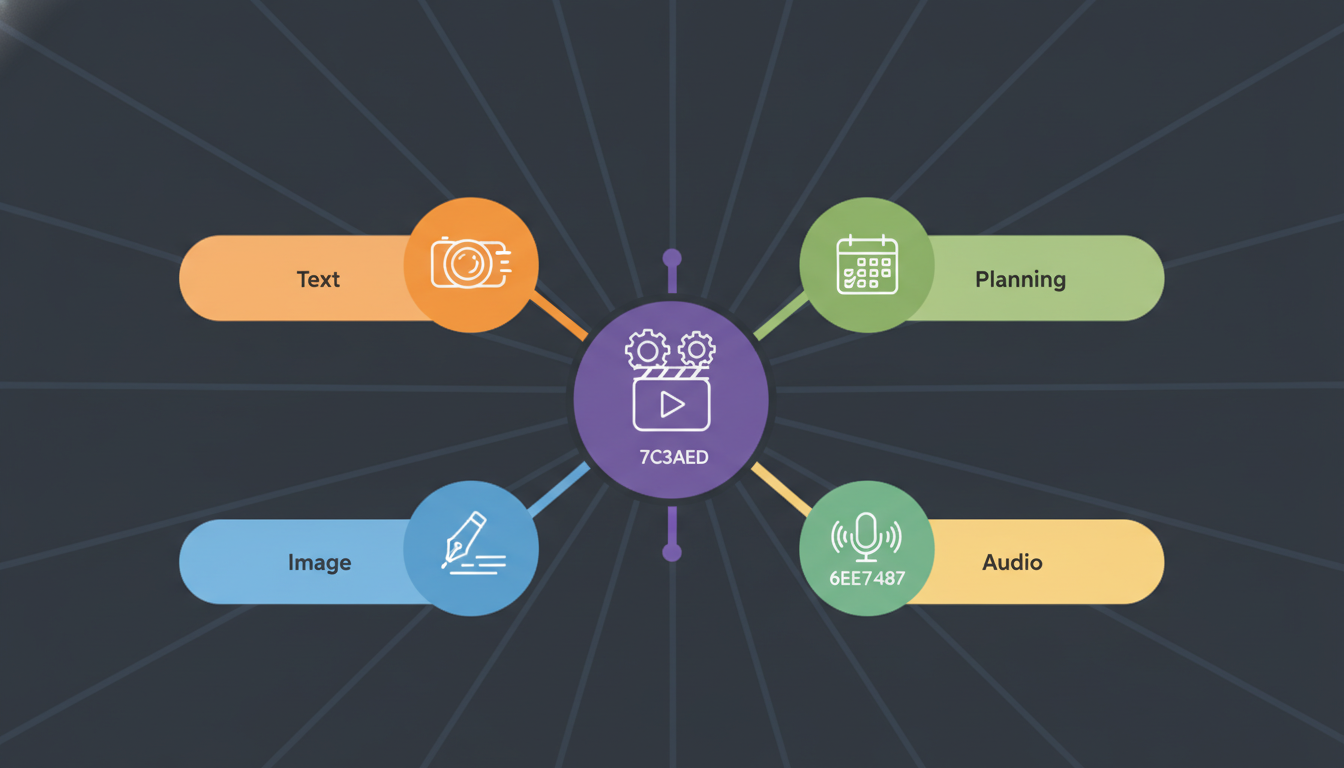
AI tools for content creation have moved well past the novelty stage. In 2026, they are a core part of how serious marketers plan, write, design, and distribute content across every major platform. Whether you are a solo creator or running a team of ten, knowing which tools to use - and how to combine them - makes a measurable difference in output quality and speed.
- AI tools for content creation cover writing, image generation, video, audio, and repurposing - each category has clear leaders worth knowing.
- The biggest gains come from combining tools in a workflow, not from using a single platform in isolation.
- AI-assisted content still requires human editing and strategic direction to perform well in search and social.
- Cost matters: many high-quality tools have free tiers, and paid plans typically range from $10 to $100 per month.
- Platform-specific formatting is where AI saves the most time - one piece of content can be adapted to 10 platforms in minutes.
What exactly are AI tools for content creation?
AI content creation tools are software applications that use machine learning models - most commonly large language models (LLMs) or diffusion models - to generate, edit, or transform content. That includes written copy, images, video scripts, voiceovers, captions, and more. They do not replace creative judgment, but they handle the repetitive, time-consuming parts of production.
The category has expanded rapidly. Where early tools focused almost entirely on text generation, today you can find AI tools that handle full video production, generate consistent brand imagery, transcribe and repurpose audio, and even suggest optimal posting schedules based on engagement patterns.
Three things separate a useful AI content tool from a gimmick: output quality, editing control, and integration with your existing workflow. A tool that generates great text but cannot export it cleanly into your publishing system creates more friction than it removes.
The main types of AI content tools
- Text generators: Tools like ChatGPT, Claude, and Gemini that write drafts, captions, headlines, and long-form articles.
- Image generators: Midjourney, DALL-E 3, and Adobe Firefly for creating original visuals from text prompts.
- Video AI tools: Runway, Sora, and Synthesia for generating or editing video content.
- Audio and voice tools: ElevenLabs and Murf for realistic AI voiceovers and podcast-style audio.
- Repurposing tools: Descript, Opus Clip, and similar platforms that cut long-form content into shorter social clips.
- All-in-one social AI platforms: Tools that combine writing, scheduling, and analytics in one place.
Why are AI content tools worth using in 2026?
The core reason is time. Producing consistent, high-quality content manually across multiple platforms is slow. AI tools reduce the time spent on first drafts, format adaptation, and repetitive editing tasks by a significant margin - many creators report cutting production time by 40 to 60 percent once their workflow is established.
Cost reduction is the second reason. Hiring a full content team - writers, designers, video editors - is expensive. AI tools do not replace human creativity, but they allow a smaller team to produce more. A single content strategist using the right AI stack can match the raw output of a team of three or four.
Consistency is the third argument. Brand voice, visual style, and posting frequency are easier to maintain when AI handles the templating and formatting work. Human team members can focus on strategy, tone, and audience relationships instead of reformatting the same blog post into a LinkedIn carousel and five Instagram captions.

Which AI tools are best for written content?
For written content, the best AI tools combine strong language quality with practical features like tone adjustment, SEO suggestions, and platform-specific formatting. No single tool wins on every dimension, so most professional teams use two or three in combination.
ChatGPT (GPT-4o and later) remains the most versatile option for long-form drafts, brainstorming, and iterative editing. Claude is widely preferred for maintaining a consistent brand voice over longer documents. Gemini integrates tightly with Google Workspace, making it practical for teams already working in Docs and Sheets.
For SEO-focused writing specifically, tools like Surfer SEO and Clearscope add a layer of keyword optimization that general LLMs do not provide out of the box. They analyze top-ranking pages and suggest content structure, keyword density, and related terms - details that matter when organic search is part of your distribution strategy.
Step-by-step: Writing a social media caption with AI
- Define the goal: awareness, clicks, comments, or saves. This shapes the call to action.
- Write a one-sentence brief describing the post topic, target audience, and desired tone.
- Feed the brief into your chosen LLM and request three to five caption variations.
- Select the strongest version and edit for your brand voice - fix any generic phrases the AI tends to use.
- Add platform-specific details: hashtags for Instagram, a question for LinkedIn engagement, brevity for X/Twitter.
- Run a final read-aloud check. If it sounds like a press release, rewrite the opening line.
How do AI image tools compare for social media content?
AI image generators have narrowed the quality gap with professional photography and illustration significantly. The right choice depends on your use case: photorealistic product images, abstract brand visuals, illustrated infographics, and short animated clips each favor different tools.
Here is a direct comparison of the most widely used options in 2026:
| Tool | Best For | Starting Price | Key Strength | Limitation |
|---|---|---|---|---|
| Midjourney v7 | Artistic and brand visuals | $10/mo | Aesthetic quality, style consistency | No free tier, web-only UI |
| DALL-E 3 (via ChatGPT) | Quick concept visuals | Included in ChatGPT Plus ($20/mo) | Prompt accuracy, text in images | Less stylistic control |
| Adobe Firefly | Commercial-safe brand assets | $5/mo (add-on) | Trained on licensed content, Adobe integration | Less photorealistic than Midjourney |
| Stable Diffusion (self-hosted) | Custom model fine-tuning | Free (compute costs vary) | Full control, no usage limits | Requires technical setup |
| Canva AI (Magic Media) | Non-designers, quick social assets | Free / $15/mo Pro | Integrated design editor | Lower ceiling on image quality |
For most social media teams, the practical choice is Canva AI for speed and DALL-E 3 or Midjourney for higher-quality hero images. Adobe Firefly is the right pick for any brand with legal sensitivity around image licensing, since its training data is fully licensed.
What is the best workflow for repurposing content with AI?
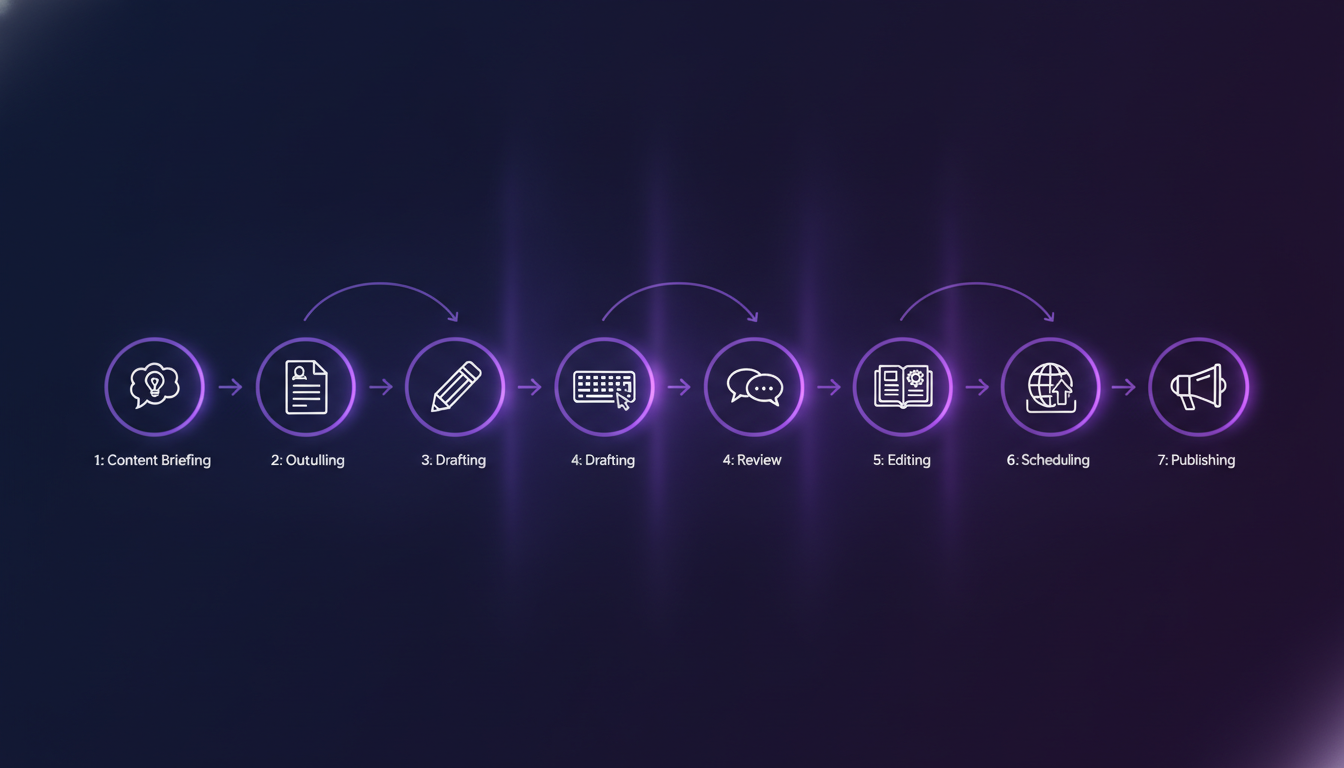
Repurposing is where AI delivers the highest return per hour of effort. One well-produced piece of content - a long blog post, a recorded webinar, or a podcast episode - can be broken into dozens of platform-specific assets with the right tools and process. The key is a documented workflow, not just ad-hoc tool use.
Start with a primary content asset. A 2,000-word blog post or a 30-minute video recording is a strong anchor. Everything else derives from it. This approach keeps your messaging consistent while adapting format and length to each platform's audience behavior.
A repeatable repurposing workflow
- Transcribe the source content: Use Whisper (OpenAI) or Descript to get an accurate transcript of any audio or video asset within minutes.
- Extract key points: Feed the transcript or article into an LLM and ask it to identify the five to seven most shareable insights.
- Generate platform variants: Request tailored versions for each platform - a 280-character X post, a 150-word LinkedIn update, three Instagram caption options, and a short-form TikTok script.
- Create visual assets: Use those key points as prompts for Canva AI or Midjourney to generate quote cards, infographic slides, or thumbnail images.
- Cut short video clips: Tools like Opus Clip analyze long-form video and automatically identify and export the most engaging 60-90 second segments.
- Schedule across platforms: Load the finalized assets into a content calendar to plan distribution timing and avoid overlap.
- Track performance: Use social media analytics to identify which repurposed formats drive the best engagement, and adjust the next repurposing cycle accordingly.
Using an AI social media agent can automate several of these steps end to end - particularly the platform adaptation and scheduling phases - cutting the total time investment by roughly half compared to doing each step manually.
How should you handle AI-generated content quality control?
AI output requires editing. This is not optional. Unedited AI content tends to be generic, overlong, and occasionally factually wrong. A quality control process does not need to be slow, but it needs to be consistent.
Factual accuracy is the first check. AI tools hallucinate - they generate plausible-sounding but incorrect information with confidence. Any statistic, date, product claim, or attribution in AI-generated text needs a manual verification step before publishing. This is especially important for regulated industries like finance, healthcare, or legal services.
Brand voice is the second check. LLMs default to a kind of generic professional tone that fits no brand in particular. Every piece of AI content needs a pass for tone, word choice, and sentence rhythm to match how your brand actually communicates. Building a brand voice guide that you include in your AI prompts reduces this editing time significantly.
A five-point content quality checklist
- Accuracy: Every factual claim is verified against a primary source.
- Voice: The writing sounds like your brand, not like a generic AI assistant.
- Value: The content answers a real question or solves a real problem for the reader.
- Format: Headings, list structure, and length match the platform requirements.
- CTA: There is a clear, specific call to action that fits the content goal.
How do AI tools support platform-specific content strategies?
Each social platform has its own format requirements, audience expectations, and algorithm behavior. AI tools that understand these differences - either through built-in platform presets or through well-crafted prompt templates - dramatically reduce the manual effort of adapting content for each channel.
LinkedIn rewards long-form professional insight. Posts between 1,000 and 1,500 characters with a hook in the first line consistently outperform shorter updates. AI can draft this format quickly, but it needs explicit instructions about the hook structure and professional tone. The LinkedIn scheduler can handle the timing and formatting side once drafts are ready.
Instagram relies on visual-first content with a short, punchy caption. The algorithm in 2026 still heavily weights Reels over static posts. AI video tools like Runway or CapCut's AI features can generate short video assets from static images or text prompts, making it easier to stay in Reels territory without a full video production setup. For optimal reach, using a dedicated Instagram scheduler ensures your Reels post at peak engagement windows.
TikTok favors raw, fast-paced content with strong hooks in the first two seconds. AI scriptwriting tools can generate multiple hook variations to test, and tools like Opus Clip can identify the highest-energy moments from longer recordings. The TikTok scheduler handles bulk publishing once scripts and clips are ready.
For teams managing all of these channels at once, a platform like social media autopilot handles the distribution layer, freeing up creative energy for the content itself.
Platform content format quick reference
- Instagram: Reels (15-60 sec), carousels (5-10 slides), square or portrait images, captions up to 2,200 characters.
- LinkedIn: Text posts (up to 3,000 characters), documents/carousels, native video (up to 10 min), newsletters.
- TikTok: Vertical video (15 sec to 10 min), trending audio, strong first-frame hook.
- X (Twitter): 280-character posts, threads, images, and short video clips up to 2:20.
- Pinterest: Vertical static pins (2:3 ratio), idea pins, video pins - all with keyword-rich descriptions.
- YouTube: Long-form video (8-20 min performs well for SEO), Shorts (under 60 sec), chapters in descriptions.
What mistakes do teams make when adopting AI content tools?
The most common mistake is treating AI as a final output system rather than a drafting assistant. Teams that publish raw AI output without editing consistently produce content that underperforms - it lacks specificity, personal perspective, and the kind of detail that builds audience trust over time.
The second mistake is tool sprawl. It is easy to accumulate ten different AI subscriptions and end up with a workflow that is more complicated than the manual process it replaced. A focused stack of three to five well-integrated tools almost always outperforms a large collection of overlapping ones.
The third mistake is neglecting prompt quality. The output of any AI tool is only as good as the input you give it. Vague prompts produce vague content. Teams that invest time in building a prompt library - tested, documented instructions for each content type - see consistently better results than those who improvise prompts each time.
Finally, some teams ignore the data feedback loop entirely. Which AI-generated content formats drive the most clicks, saves, and shares? Without tracking that, you cannot improve. Building a regular review of content analytics into your workflow closes that loop and makes each content cycle smarter than the last.
Frequently Asked Questions
Do AI tools for content creation replace human writers?
No. AI tools handle drafting, formatting, and repetitive adaptation tasks well, but they lack strategic judgment, original perspective, and the ability to verify facts reliably. Human writers who use AI tools as drafting assistants consistently produce better output faster than those who work without them - but the creative and editorial direction still needs to come from a person.
How much do professional AI content tools typically cost?
Costs vary widely by tool and tier. Most general-purpose LLM tools (ChatGPT Plus, Claude Pro) run $20 per month. Specialized tools like Surfer SEO or Midjourney range from $10 to $50 per month. A practical AI content stack for a small team typically costs between $80 and $150 per month in total subscriptions - considerably less than the cost of expanding headcount for the same output increase.
Is AI-generated content penalized by search engines?
Search engines including Google evaluate content based on quality, accuracy, and helpfulness - not on whether AI was involved in production. Thin, generic, or inaccurate AI content does perform poorly, but well-edited AI-assisted content that genuinely helps readers ranks just as well as fully human-written content. The key factor is quality and editorial oversight, not the production method.
Which AI tool is best for repurposing long-form content into social posts?
For video repurposing, Opus Clip is the most widely used tool in 2026 - it automatically identifies and exports the strongest clips from long recordings. For text-based repurposing (turning blog posts into captions, threads, or newsletters), a combination of Claude or ChatGPT with platform-specific prompt templates gives you the most control over tone and format. Bundling both into a documented workflow produces the most consistent results.
Building an AI-powered content workflow is not a one-week project, but the compounding returns are real. Start with one content type - blog posts, captions, or video scripts - and build a reliable process there before expanding. Document your prompts, track what performs, and refine as you go. The teams seeing the biggest gains in 2026 are not those using the most tools - they are the ones using fewer tools more deliberately. If you want to put the distribution side on autopilot while you focus on creative quality, explore what Brandlix's AI social media tools can handle for you.